Coming to Edge and Chrome

Describe it.
Get the diagram.

A Visio-style workspace in your browser. Type what you’re trying to do and get an editable flowchart, swimlane or architecture diagram, with the official Microsoft icons.

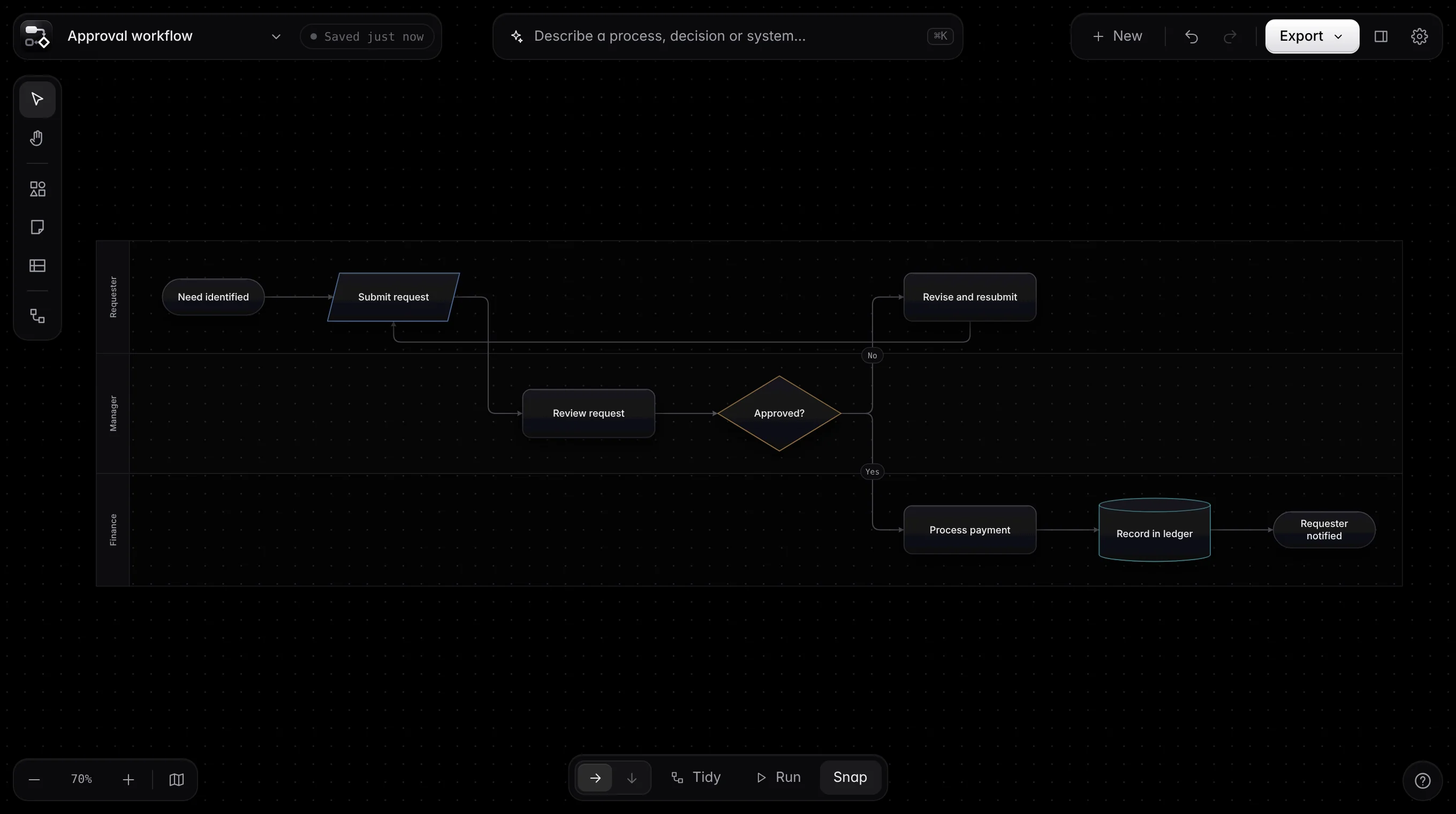
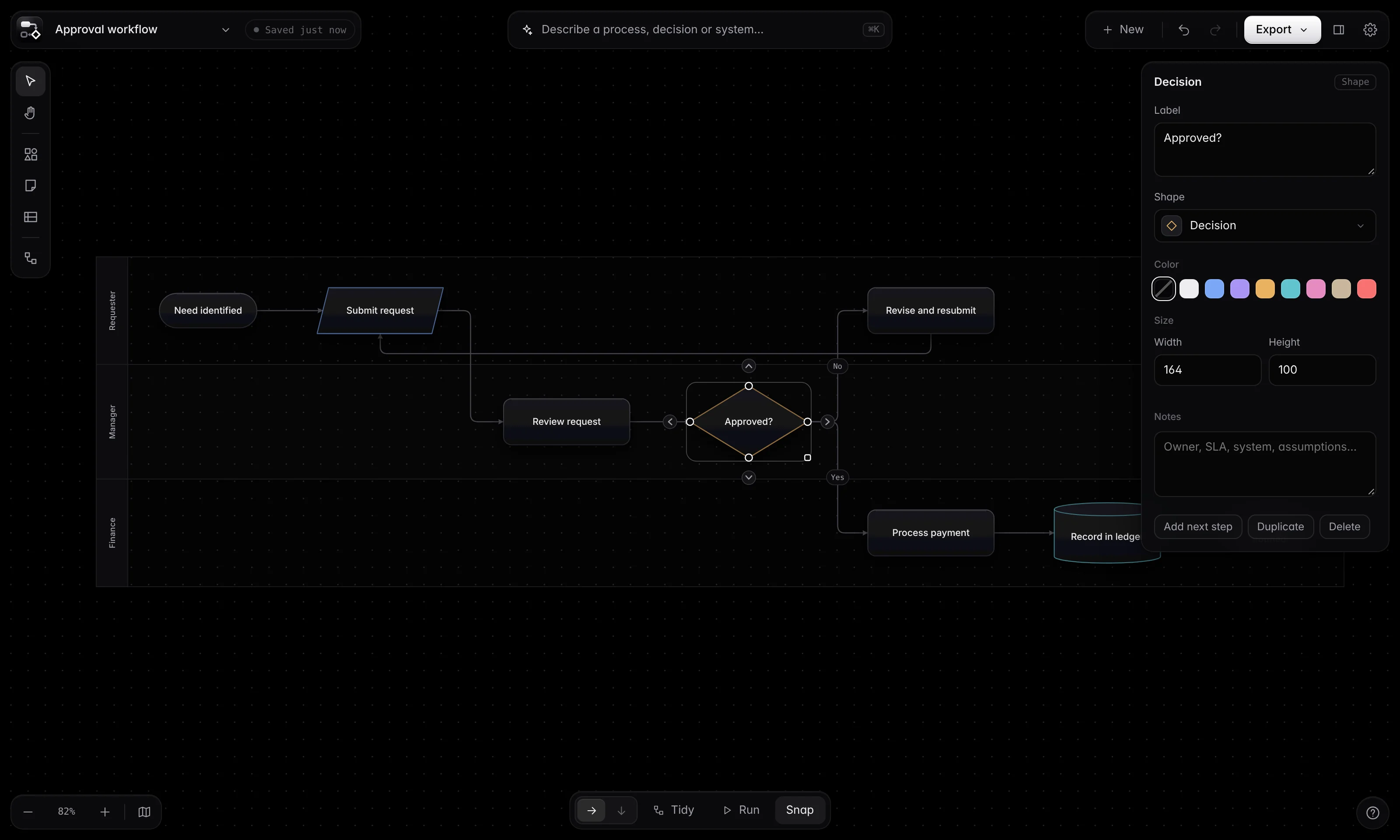
Solwright showing an approval workflow in three swimlanes: Requester, Manager and Finance

Three ways to start

Whatever you have in your head, there’s a fast way onto the canvas.

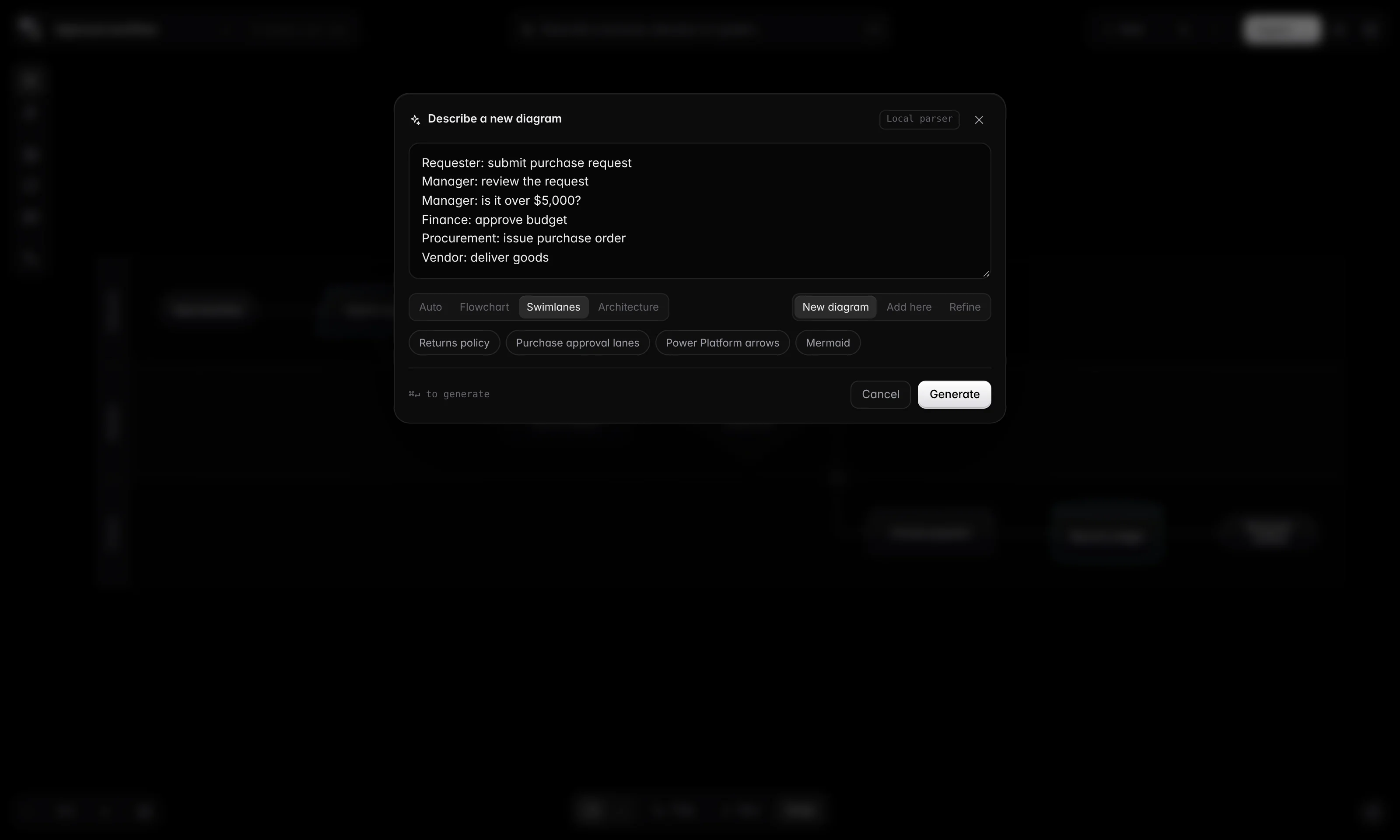
Describe dialog with a list of steps by role

Describe it

Plain sentences, “Role: step” lines for swimlanes, A -> B arrows or Mermaid. Decisions, loops and rework paths come out right.

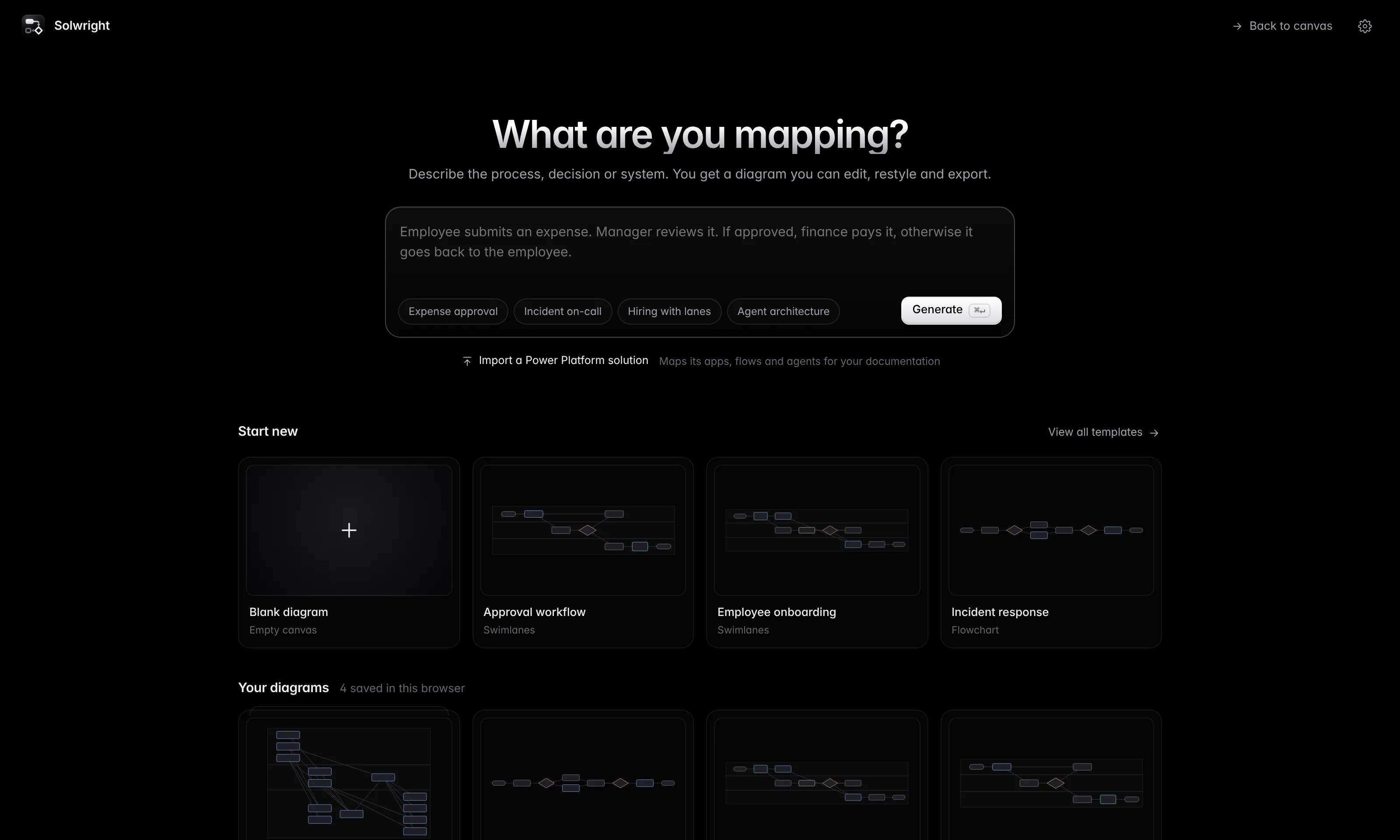
Home screen with templates and saved diagrams

Start from a template

Approvals, onboarding, incident response, CI/CD, Power Platform + Azure, Fabric analytics, Dynamics 365 service and more.
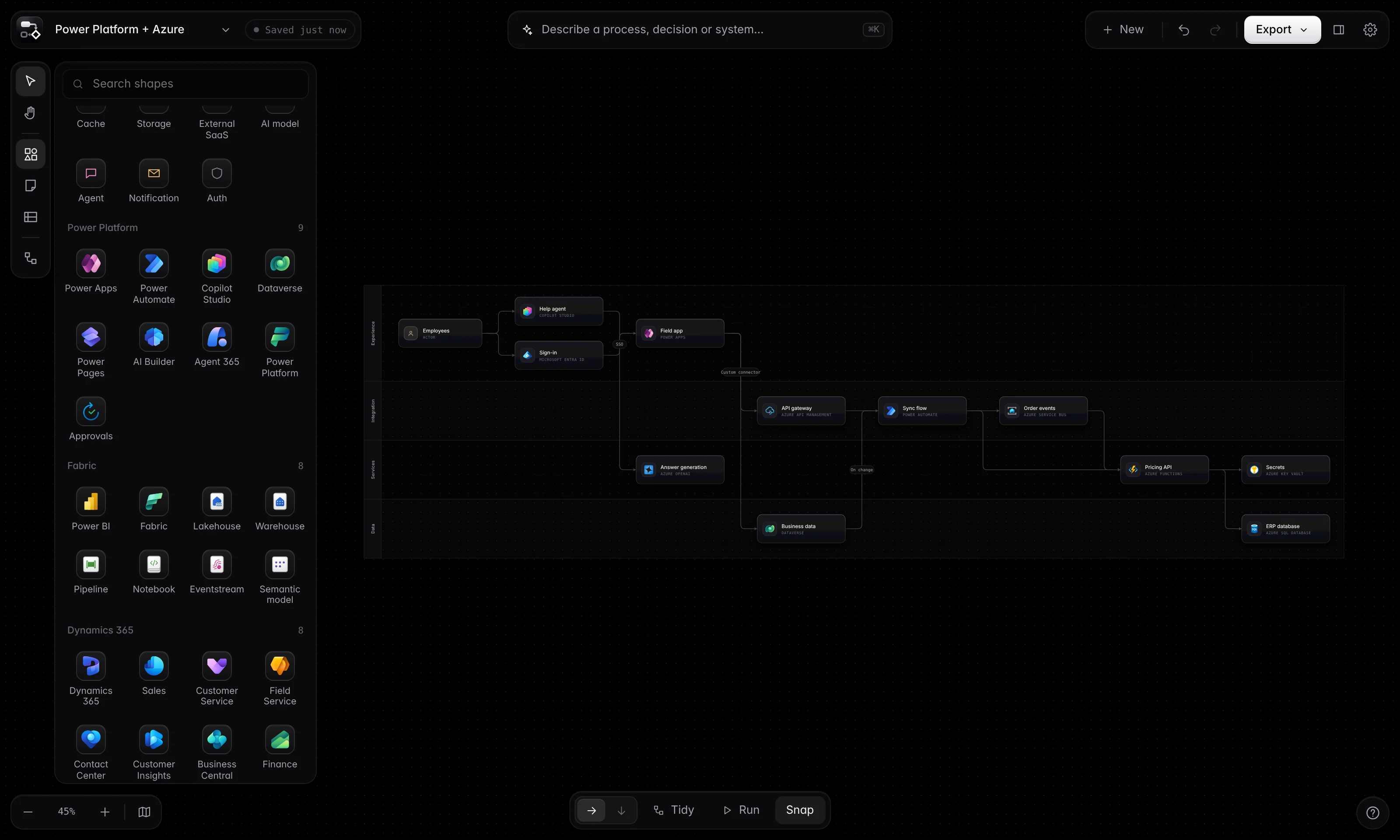
Shape library open beside an architecture diagram

Drag shapes in

Flowchart shapes, architecture cards and 50+ official Microsoft product icons. Press Tab to add the next connected step.

Built for the Microsoft stack

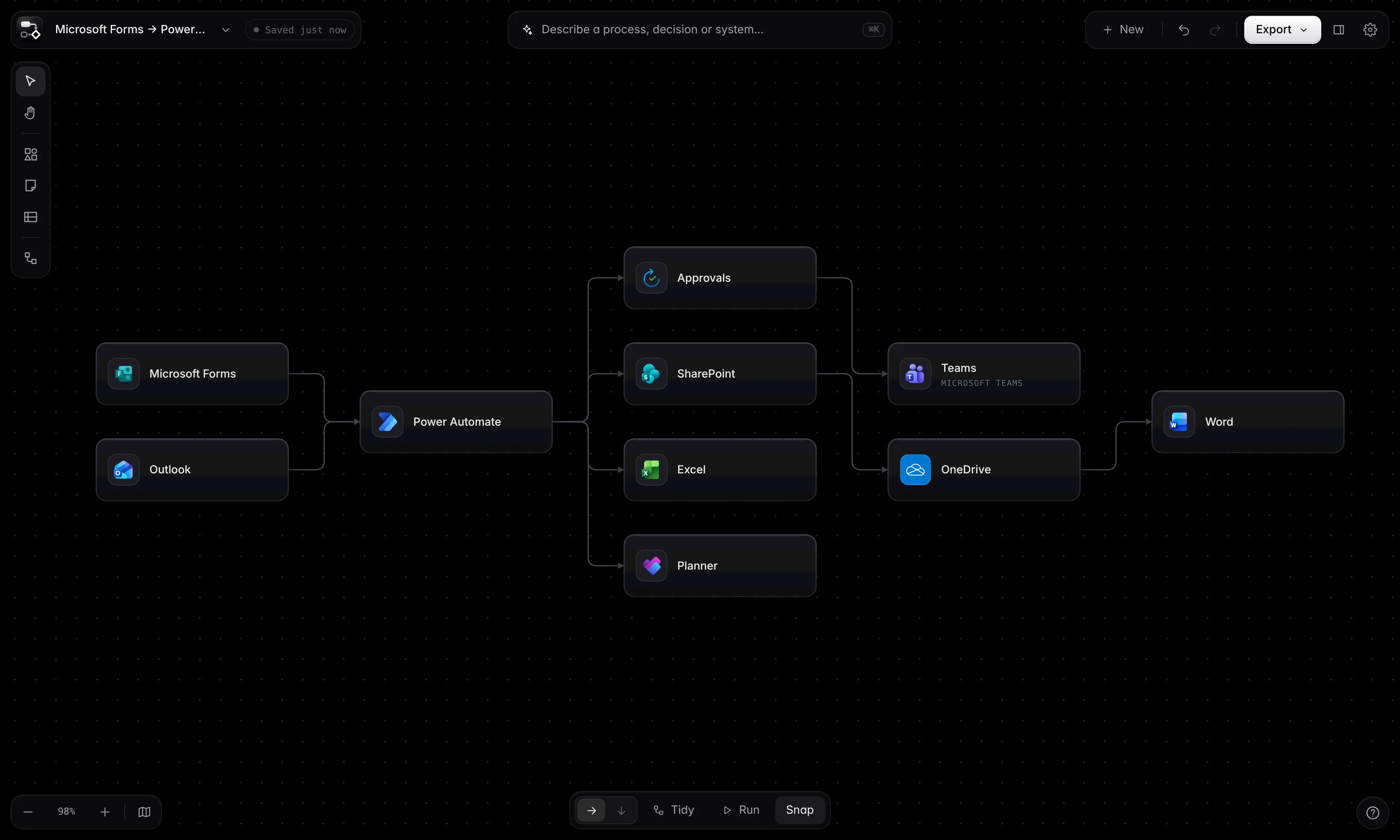
Name a product and it lands with its official icon. Diagram a Power Automate flow, a Fabric pipeline or a Dynamics 365 service process without hunting for stencils.
  • Power PlatformPower Apps, Power Automate, Copilot Studio, Dataverse, Power Pages, AI Builder
  • Microsoft 365Outlook, Teams, SharePoint, OneDrive, Excel, Word, Planner, Forms
  • AzureFunctions, Logic Apps, API Management, Service Bus, SQL, Cosmos DB, Key Vault, Azure OpenAI
  • FabricPower BI, Lakehouse, Warehouse, Pipelines, Notebooks, Eventstreams
  • Dynamics 365 and EntraSales, Customer Service, Field Service, Business Central, Entra ID
A Microsoft 365 automation diagram: Forms and Outlook feed Power Automate, which routes to Approvals, SharePoint, Excel, Planner, Teams, OneDrive and Word
v1.4.0.2 · Draft
Contoso Expenses
Technical design document
Review findings
“Get expense status” has no failure path
Approval limit hard-coded in “Check amount”
3 flows use a premium connector
2 flows have no description
Technical design · 6 pagesPage 5

Import a solution. Get the documentation.

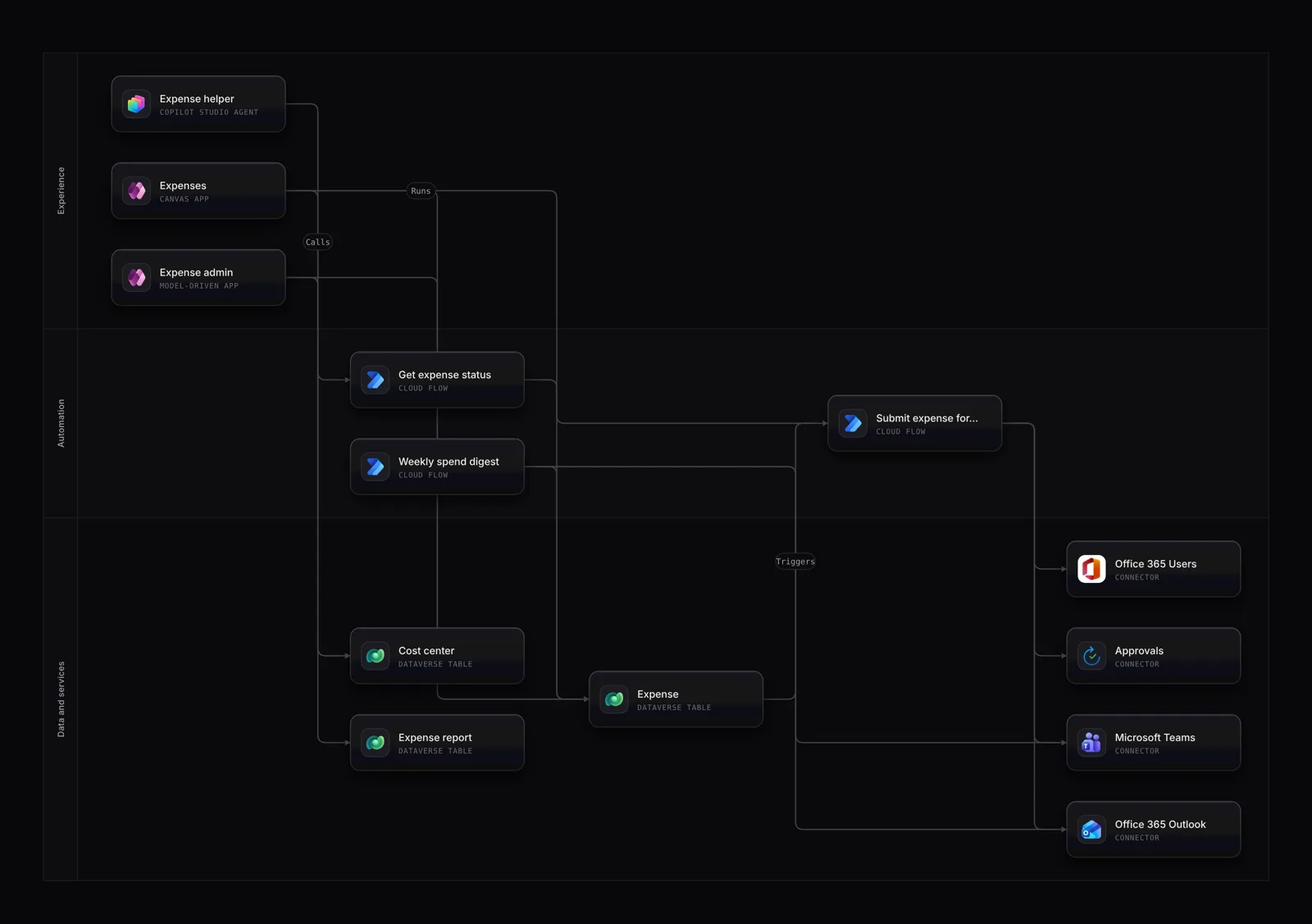
Drop in a Power Platform solution export. Solwright maps every app, flow and agent, then writes the design documents around them.
  • Always currentImport a new version and the documents update, with a list of what changed.
  • Every audienceFunctional design for the business, technical design for developers, a runbook for support.
  • Review built inFlags missing error handling, hard-coded values and premium connectors. The kind of review a consultant charges for.

Everything a diagram needs. Nothing it doesn’t.

Approval workflow in swimlanes A decision shape selected with its properties panel Describe a process and Claude draws it
A diagram with the Export menu open
Diagrams saved in your browser

Your diagrams stay yours

Everything is stored locally in your browser. There’s no sign-in, no tracking and no analytics. If you add an Anthropic key, your prompt goes straight from your browser to Anthropic, and only when you ask Claude to generate.

Read the privacy policy

Coming soon to Edge and Chrome

Solwright is in final testing. Store listings go live here first.

Microsoft Edge · Soon Chrome · Soon